Build an escape route before you hack
Starting a computer without an escape route can turn useful progress into an early capture. The most useful flee the facility tips help you recognize danger before it reaches hammer range. Whether you play Survivor or Beast, knowing the next doorway, vent connection, and likely approach makes your decisions faster.
Before hacking, check how you would leave if the Beast entered through the nearest doorway. Open a useful escape door while you have time. In Alizra's tips video, preparing doors before working is a recurring recommendation, especially when a sudden approach could leave little time to react.
| Check before hacking | What to look for | Practical response |
|---|---|---|
| Escape doorway | A door you can reach quickly | Prepare it before committing to the computer. |
| Nearby vent | Where its other opening leads | Plan your movement after leaving it. |
| Alternate approach | A second entrance or connecting hallway | Watch for the Beast taking a shortcut. |
| Camera view | The entrances visible from your position | Adjust your view to cover likely approaches. |
Map knowledge also changes your opening choice. A community mistakes walkthrough identifies Facility_0's middle and blue rooms as places Beasts often check early. That is a player tendency, not a guaranteed patrol order. If you begin near an expected Beast spawn or popular opening route, stay ready to back away.
Learn connections between rooms as well as computer locations. A vent is much more useful when you already know which hallway you will enter afterward.
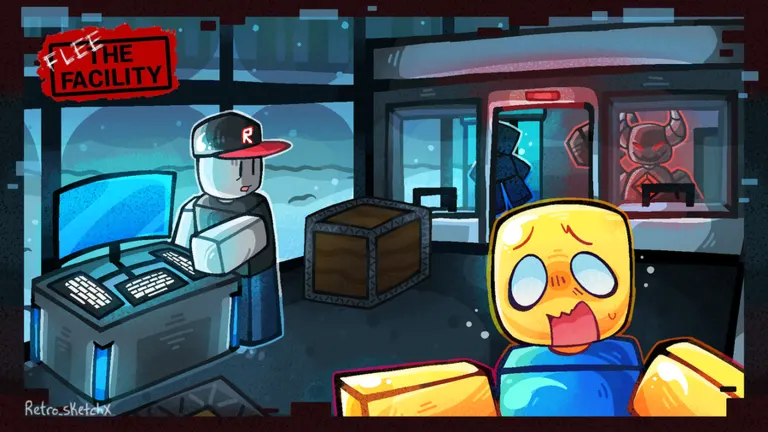
Hack while watching and listening
Hacking needs attention beyond the computer itself. Look toward likely entrances between interactions, and listen for approaching activity. If music or ambient audio makes useful sounds difficult to distinguish, Alizra recommends disabling the distracting background audio option.
| Clue | What it helps you notice | How to respond |
|---|---|---|
| Beast light near an entrance | A possible approach to your room | Move toward your prepared escape route. |
| Approaching footsteps | Nearby movement worth checking | Look toward the likely entrance. |
| Failed hacking notification | A computer location that may attract attention | Expect movement around that room and its exits. |
| Beast moving away | A possible opportunity to continue | Check connecting routes before settling back in. |
In a Reddit tips discussion, contributor NeoDaKat recommends third person for Survivors because it provides a broader view, particularly while hacking. Start by zooming out at computers. On mobile or console, use a camera setup you can control comfortably; awkward adjustments can distract you at the wrong moment.
Community advice differs on hacking interruption tricks. NeoDaKat describes stopping and restarting roughly every five seconds for “E-skip,” while Alizra suggests interruptions about every two seconds when discussing skipped skill checks. These timing recommendations disagree, and their current reliability has not been officially confirmed.
Treat silent hacking and skipped checks as optional experiments. The mistakes walkthrough describes reducing computer noise through repeated interaction and crouching, but also notes that checks can still produce sound. A quieter computer does not remove the need to watch entrances or leave when danger approaches.
Escape chases and rescue teammates
During a chase, aim to create enough separation to change routes. Passing through a doorway and closing it behind you can delay pursuit, a tactic described on the Flee the Facility tips Quora page. Continue moving after the door closes; the Beast may choose another entrance instead of following directly.
Keeping doors open before a chase and closing one during an escape serve different purposes. Open doors preserve your options while hacking. A closed door becomes useful when it separates you from the Beast. Check nearby teammates before shutting off their route.
Use this sequence when a chase starts:
- Head toward the escape route you prepared.
- Watch the Beast's light and movement at connecting passages.
- Change direction when the Beast commits to an approach.
- Leave the immediate area once you create space.
- Reassess before returning to the same computer.
Alizra demonstrates reversing through a vent to mislead a pursuer, but also explains why repeated attempts become easier to anticipate. Make your next move depend on what the Beast does. Repeating the same turn gives an attentive opponent a useful prediction.
Apply the same planning to rescues. Locate the Beast, choose an approach, and identify where you and the freed teammate can go afterward. Running directly across the Beast's path can turn one capture into another.
A distraction helps only when it creates an opening. If the Beast turns toward you, use your escape route and give the other Survivor room to move. Once the immediate danger passes, return to computers so the rescue contributes to the team's progress.
Play the Beast with a plan
As the Beast, choose routes that connect likely Survivor activity. Computer locations, hacking mistakes, and rescue attempts provide reasons to investigate an area. Wandering without a destination makes it harder to recognize which parts of the map still need attention.
The community article Your Guide to Roblox Flee the Facility Beast Tips recommends predicting where Survivors will flee after a hacking mistake. An alert marks recent activity; the player may already be leaving by the time you arrive.
| Situation | Useful response | Mistake to avoid |
|---|---|---|
| A computer mistake appears | Check likely routes away from the room. | Assuming the Survivor stayed at the keyboard. |
| Someone enters a vent | Use your map knowledge to approach its other side. | Losing track of where the vent leads. |
| A Survivor circles furniture | Watch for a repeated route and intercept. | Following every turn without adjusting. |
| One chase keeps dragging on | Recheck computers and other active areas. | Letting one player occupy the whole round. |
| Exits become available | Shift attention toward escape routes. | Continuing an outdated computer patrol. |
Swing when you have a reasonable chance of connecting. The Beast guide emphasizes deliberate hammer timing over repeated swings. Exact recovery timings are unnecessary for this decision: a missed attack gives the Survivor an opportunity to change position.
After landing a hit, plan the route to a freeze pod promptly. Staying aware of nearby players matters throughout the capture sequence, especially when teammates are looking for a rescue opportunity.
Deciding to abandon a chase is also a skill. A Survivor who repeatedly escapes around the same obstacle may be buying time for others. Change targets when checking active objectives offers a better chance of applying pressure.
Practice advanced movement selectively
Advanced movement is useful when it produces a dependable shortcut or escape. Learn ordinary routes first, then add techniques you can repeat under pressure. An unfamiliar trick can cost more time than a route you already understand.
Reddit contributor Bugsyson2 describes several movement techniques in the same community tips discussion. Their advice highlights the importance of practice and location-specific execution.
| Technique | Practice target | Limitation to remember |
|---|---|---|
| Fast venting | Coordinate camera movement and vent entry. | Poor alignment can leave you stuck. |
| Double-jump shortcuts | Learn a particular obstacle and landing. | Knowing the input does not teach every route. |
| Wall hops | Coordinate jumping with camera flicks at suitable seams. | Execution depends on the wall and timing. |
| Window climbs | Test the window edges described by players. | A route out may not work in reverse. |
Fast venting appears in both Bugsyson2's advice and Alizra's demonstration. Their descriptions emphasize camera positioning and backward entry, while Alizra specifically acknowledges that attempts can get stuck. Practice on a familiar vent before relying on it during a close chase.
For window climbs, Bugsyson2 points to particular windows in Facility_0 and Homestead. Treat those as locations to investigate, not proof that every window behaves identically. Confirm the direction and landing before building an escape plan around one.
Practice one technique at a time. After a failed attempt, identify whether the problem was alignment, timing, or choosing the wrong location. That gives your next attempt a clear purpose.
FAQ
Which flee the facility tips should beginners learn first?
Start with escape routes, camera awareness, and door preparation. These habits help while hacking, escaping, and rescuing. Learn where nearby rooms connect before spending time on wall hops or other difficult shortcuts.
Should Survivors leave doors open or close them?
Keep useful escape doors open while working at a computer. During pursuit, closing a door behind you can create separation. Consider your teammates' positions, then keep watching for the Beast to approach through another route.
Is E-skip guaranteed to make hacking faster?
No dependable current guarantee has been officially confirmed. Community recommendations use different interruption timings, and NeoDaKat's Reddit advice also distinguishes solo hacking from coordinated group attempts. Learn the normal hacking interactions first, then evaluate any technique through repeatable practice.
What should the Beast do against a strong looper?
Look for a predictable route you can intercept, but reassess if the chase stops producing opportunities. Checking other computers can pressure Survivors who are making progress while you are occupied. A later encounter near a rescue or exit may offer a better opening.