Controls at a glance
Missing one hacking input can reveal your position to the Beast. The essential flee the facility controls on PC are E to interact, Left Shift to crawl as a Survivor, and Q to activate the Beast's ability. Mobile and Xbox have equivalent controls for these actions.
Your role determines which actions you can use. Survivors hack computers, crawl through vents, and rescue teammates. The Beast uses a hammer, attaches a rope to fallen Survivors, and takes them to Freeze Pods.
| Action | PC | Mobile or tablet | Xbox |
|---|---|---|---|
| Crawl as a Survivor | Hold Left Shift | Press the C button | LT |
| Interact | E | On-screen E button | X |
| Swing the Beast's hammer | Left mouse button | Tap the screen | Right trigger |
| Activate the Beast's ability | Q | On-screen Q button | Y |
For jumping, use Space on PC or the jump button on mobile. The double-jump input is two presses of Space or two presses of the mobile jump button. Survivors can also jump while crawling.
The interaction control handles several different tasks. At a computer, it starts hacking and handles skill checks. At a door or occupied Freeze Pod, it performs the relevant interaction. Pay attention to what you are approaching before pressing it.
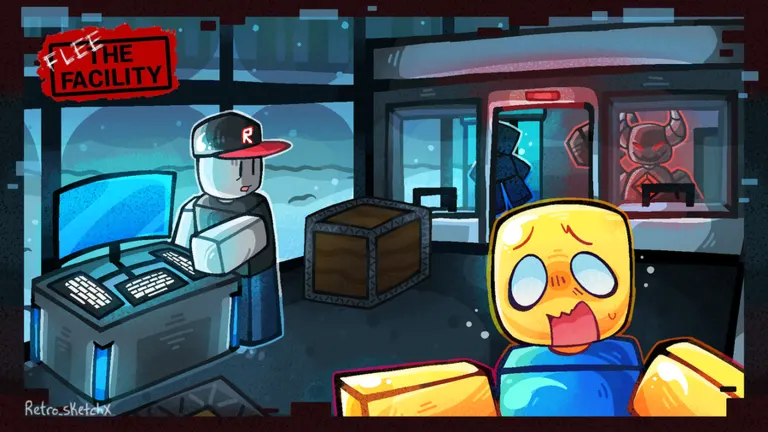
Hacking and Survivor interactions
Hacking uses a timed interaction rather than typed commands. Start at a computer, then watch for the circular skill check. The moving red indicator must reach the white target area before you press the interaction control.
To complete a hacking skill check:
- Approach a computer and use E on PC, the E button on mobile, or X on Xbox to begin.
- Watch for the skill-check circle while hacking continues.
- Follow the moving red indicator toward the white section.
- Press the interaction control when the indicator is inside that section.
- Continue watching for additional checks until the computer is finished.
Pressing too early, pressing too late, or missing the check causes a hacking error. The computer turns red, an error sound plays, and a failure marker appears. That signal can attract the Beast, so immediately consider your nearest escape route.
Up to three Survivors can work at one computer to finish it faster. Each player still needs to pay attention: one person's failed check can reveal the group's location.
| Survivor task | Control to use | Result |
|---|---|---|
| Begin hacking | Interaction control at a computer | Starts working on that computer |
| Pass a skill check | Interaction control inside the timing window | Avoids triggering a hacking error |
| Open or close a regular door | Interaction control at the door | Changes access through that doorway |
| Rescue a captured teammate | Interaction control at the occupied Freeze Pod | Releases the Survivor before they freeze |
Crawling, jumping, and escape routes
Crawling is a Survivor movement option that lets you enter vents and hide behind low obstacles. During active play, the Beast cannot crawl through those openings.
On PC, hold Left Shift to crawl. On mobile, press the displayed C button. On Xbox, use LT. Shift is the crawling control here, so pressing it while trying to escape can put you into a crawl instead of activating a sprint.
| Route or obstacle | Survivor use | Beast limitation or advantage |
|---|---|---|
| Vents | Crawl through the opening to change routes | Cannot crawl through vents |
| Windows | Jump through to continue an escape | Can follow, but jumping causes a slowdown |
| Regular doors | Open routes or close a door during a chase | Can operate doors faster than Survivors |
Before crawling through a vent, check where it leads and choose your next doorway or window.
Crawling does not reduce a Survivor's jump height, and double jumping is also possible while crawling. Learn the basic crawl and jump inputs before relying on combinations during a chase.
Doors need more planning than vents. An open doorway keeps an escape path available, while closing a door can temporarily interrupt pursuit. A door cannot close while someone is standing in its opening.
Use the Survivor's third-person view to check nearby approaches while moving or hacking. The Beast's glowing gem and heartbeat also provide warning signs. Spotting danger early gives you time to choose a route before you need a perfectly timed jump.
Playing the Beast
The Beast's controls support a capture sequence: hit a Survivor, attach the rope, drag them to a Freeze Pod, and interact with the pod. A hammer hit alone does not complete the capture.
Swing with the left mouse button on PC, a screen tap on mobile, or the right trigger on Xbox. A successful hit temporarily knocks the Survivor unconscious.
| Capture stage | Required action | What matters |
|---|---|---|
| Knock down a Survivor | Land a hammer hit | The unconscious period is temporary |
| Attach the rope | On PC, click the fallen Survivor | Attach the rope before transporting them |
| Reach a Freeze Pod | Move while dragging the attached Survivor | Pod outlines help you find a destination |
| Place the Survivor inside | Use the interaction control at an empty pod | Completes the capture sequence |
On PC, distinguish the initial attack from the follow-up click on the fallen Survivor. After attaching the rope, move toward an available pod. Taking too long gives the Survivor an opportunity to wake up, so choose a practical route.
Runner is the Beast's sprint ability. Activate it with Q on PC, the Q button on mobile, or Y on Xbox. It helps close distance during a chase, especially when a Survivor is crossing an open area.
Runner does not remove the Beast's movement restrictions. Vents remain inaccessible through crawling, and jumping through windows still slows the Beast down. Consider where a Survivor is heading before committing to the chase.
Once a Survivor is captured, other Survivors can release them with the interaction control. Staying too close to an occupied Freeze Pod stops the trapped player's health from draining, so remaining beside the pod does not speed up freezing.
Putting the controls together
A round gives Survivors a short head start while the Beast spends 15 seconds in the Beast Cave. Use that opening to find a computer and identify nearby escape routes. Knowing where you will move matters as much as knowing which key starts hacking.
Keep these priorities in mind:
- Before hacking: Find a nearby vent, window, or doorway you can reach if the Beast approaches.
- During a skill check: Focus on the white timing section and press the interaction control once at the right moment.
- After a hacking error: Check for danger and prepare to leave, since the failure marker advertises the computer's location.
- Before rescuing: Locate the occupied pod, watch the Beast's approach, and be ready to interact when you reach your teammate.
- During a chase: Choose routes that take advantage of Survivor crawling or the Beast's slowdown after jumping.
The required computer count is one more than the number of Survivors. With four Survivors, that means completing five computers. There is also an extra computer beyond the required total, so you do not have to finish every computer on the map.
After the required computers are finished, two exits become available and receive location markers. Reach an exit and use its interaction to open it. Opening takes roughly 12 seconds, so reaching the door does not immediately end your escape.
Once the exit is open, move through it to leave the facility.
FAQ
What are the main flee the facility controls on PC?
Use E to interact and handle hacking skill checks, Left Shift to crawl as a Survivor, and Space to jump. As the Beast, use the left mouse button to swing the hammer and Q to activate the ability.
How do you hack on Xbox?
Approach a computer and press X to interact. When the circular skill check appears, press X again as the red indicator enters the white section. Pressing outside that section or missing the check triggers a hacking error.
How do you crawl on mobile?
Press the on-screen C button while playing as a Survivor. Crawling lets you pass through vents and use low cover. The other main mobile action buttons are E for interaction and Q for the Beast's ability.
Why can't the Beast crawl through a vent?
Crawling through vents is a Survivor mechanic during active rounds. The Beast needs another route, such as a doorway or window. Windows remain usable by the Beast, but jumping causes a slowdown that can give a Survivor more time to escape.
How do you rope and capture someone?
First knock the Survivor down with the hammer. On PC, click the fallen Survivor to attach the rope, then drag them to an empty Freeze Pod. Use E on PC, the E button on mobile, or X on Xbox at the pod to place them inside.