Understand Your Role and the Round
To play Flee the Facility, hack computers and escape as a Survivor, or capture and freeze Survivors as the Beast. The biggest beginner mistake is focusing entirely on a chase while forgetting the objective. Every decision should help you finish computers, keep teammates alive, reach an exit, or stop those escapes.
After players vote for a map, the round assigns their roles. Survivors appear around the map, while the Beast starts in the Beast Cave for a 15-second preparation period. That delay gives Survivors time to locate computers and identify escape routes.
| Role | Main objective | Useful advantages |
|---|---|---|
| Survivor | Complete the required computers, then open an exit and escape | Can crawl through vents and use a third-person view to watch nearby routes |
| Beast | Hit Survivors, attach a rope, and bring them to Freeze Pods | Has a hammer, can use powers such as Runner, and sees pod locations while transporting a Survivor |
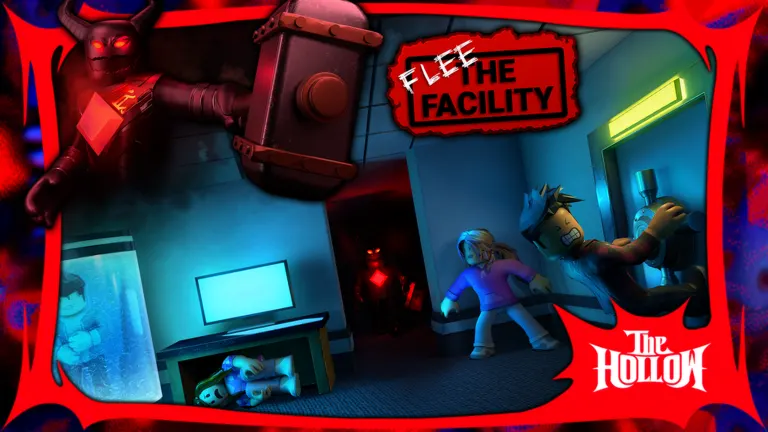
Find Computers and Pass Skill Checks
Survivors unlock the escape stage by finishing a required number of computers. The requirement depends on the number of Survivors in the round: one more computer than Survivors. The map contains one additional computer beyond that requirement.
| Survivors in the round | Computers required | Total computers on the map |
|---|---|---|
| 1 | 2 | 3 |
| 2 | 3 | 4 |
| 3 | 4 | 5 |
| 4 | 5 | 6 |
You do not need to finish every computer available. Remembering that extra option helps when the Beast repeatedly patrols a dangerous room. Computer placement also varies between possible spawn locations, so a spot that held a computer previously may be empty next round.
Follow this routine when you find one:
- Check your escape route. Locate a nearby vent, window, or open doorway before starting.
- Begin hacking. Up to three Survivors can work on the same computer to complete it faster.
- Watch for skill checks. Press the displayed input when the moving red indicator reaches the white target area. On keyboard, this is E.
- Keep watching the room. Between checks, look toward likely approaches and listen for the Beast.
Failing a skill check produces an error sound, turns the computer red, and displays a broken-computer marker. That warning can draw the Beast toward your location even from far away.
After an error, check your surroundings immediately and be ready to leave. If you hear the Beast approaching, use your planned route. Avoid standing at the computer hoping to finish while an obvious threat closes in.
Group hacking saves time, but it also puts several teammates in one place. Everyone still needs to pay attention to skill checks and leave themselves room to escape.
Escape Chases With Routes and Sound
A long, straight hallway is a poor escape plan. The Beast can close the distance, especially when using a speed ability. Survivors do better by moving toward obstacles that change how the Beast must follow.
| Map feature | How Survivors can use it | What to remember |
|---|---|---|
| Vents | Crawl through to reach another room or passage | The Beast cannot crawl through, but may take another route around |
| Windows | Jump through to create distance | The Beast can follow, but jumping causes a slowdown |
| Doors | Open routes beforehand or close doors behind you | Both roles can operate doors, and the Beast opens them faster |
Before hacking, open a door you expect to use for escape. Trying to open a closed door during a close chase can leave you exposed. Doors also cannot close while someone occupies the doorway, so do not build your entire escape around shutting one at the last moment.
Keep gameplay sound audible. A nearby Beast produces heartbeat cues, and hacking or footsteps can reveal activity. Lower background music if it makes those sounds difficult to hear.
Use these habits during a chase:
- Favor a nearby vent when it gives you a clear route away.
- Look behind or around you when possible instead of assuming the Beast follows your exact path.
- Watch for shortcuts the Beast could use to intercept you.
- Avoid trapping yourself in a closet or locker when the Beast already knows your location.
The Beast's gemstone can provide a visual clue, but glow alone is unreliable. Combine what you see with what you hear. Once you create enough distance, return to useful work; spending the whole round hiding leaves the computers unfinished.
Rescue Teammates and Open an Exit
A hammer hit temporarily knocks a Survivor down. The Beast can then attach a rope and drag that player to a Freeze Pod. A captured teammate's location becomes visible through an outline, accompanied by a capture notification.
To rescue them, reach the occupied pod and use the displayed rescue interaction. Act before they freeze completely, but check the surrounding routes first. Charging directly toward the marker can hand the Beast another easy capture.
A rescue works best when you approach with an escape already planned. Identify where the Beast is, find an alternate approach if necessary, and know which vent, window, or doorway you will use afterward. If the Beast is guarding the area, watch for an opening instead of repeatedly rushing the same entrance.
Other Survivors should keep making progress when they have a safe opportunity. Everyone abandoning computers for one rescue can stall the entire team. Likewise, ignoring every captured teammate leaves fewer people available to hack and help later.
Once the required computers are complete, two exit doors become available and receive location markers. Opening an exit takes about 12 seconds, so reaching it does not mean you are safe yet.
While opening an exit, keep your camera positioned to watch an approach. Listen for footsteps and heartbeat cues. If the Beast arrives, leave before it reaches hammer range and use the map's escape routes. The second exit gives you another destination if the first is heavily guarded.
After a door opens, pass through it to escape. Avoid lingering near the doorway when the Beast is close enough to threaten you.
Play the Beast With a Clear Capture Plan
The Beast's job has several stages: locate a Survivor, land a hammer hit, attach the rope, and reach a Freeze Pod before the Survivor recovers. Winning a chase only helps if you complete the capture.
| Situation | Useful response |
|---|---|
| A computer error appears | Check the nearby routes as you approach; the Survivor may already have left |
| You hear hacking | Search the computer area and consider its escape routes |
| A Survivor is knocked down | Attach the rope promptly and move toward an outlined Freeze Pod |
| A Survivor repeatedly escapes through a vent | Predict an alternate route or switch targets if the chase wastes too much time |
Use Runner's speed boost when it can help you close a gap or transport a Survivor. You cannot jump while Runner is active, so consider the route before activating it. Outside that ability, unnecessary jumps still slow the Beast and can cost valuable distance.
Map knowledge lets you intercept players instead of following every turn. A Survivor who disappears through a vent must eventually emerge somewhere. If you know the connecting rooms, you can approach from a different direction.
Listen while patrolling computer locations. Hacking sounds and footsteps can guide your search even without an error marker. Stay alert along the way rather than staring only at your destination.
After placing someone in a pod, continue pressuring the remaining Survivors. Standing too close to an occupied pod can pause its freezing progress, while guarding one location gives other players time to hack elsewhere. Productive patrols create more opportunities to catch both rescuers and computer teams.
FAQ
What should I learn first when figuring out how to play flee the facility?
Learn the Survivor objective, practice skill-check timing, and identify an escape route before hacking. Those three habits give you a useful foundation. As you play more rounds, memorize connections between computer rooms, vents, windows, and exits.
Do all computers need to be hacked?
No. Complete the required number for the round. There is one extra computer available, so you can choose another location when a particular room is difficult to approach safely.
Can the Beast follow Survivors through vents?
The Beast cannot crawl through vents. However, it can move around through connecting rooms and try to intercept you. Passing through a vent creates an opportunity to escape; it does not guarantee that the chase is over.
What button do I press during hacking?
On keyboard, press E when the moving indicator enters the white target area. On other devices, follow the input shown on your screen. Watch the timing indicator closely rather than assuming the same physical button applies everywhere.
Should beginners deliberately distract the Beast?
Focus first on hacking, escaping immediate danger, and making careful rescues. Intentionally extending a chase requires map knowledge and reliable movement. An accidental capture can leave your teammates handling both unfinished computers and another rescue.